Drop an image. Get it perfect.

After
Before
◂▸
BEFORE AFTER

Remove anything with one click. Make any photo stunning. Score, crop, split and perfect your images — with the simplicity of drag and drop.

Free to start · No account required · 5 magic edits included every month
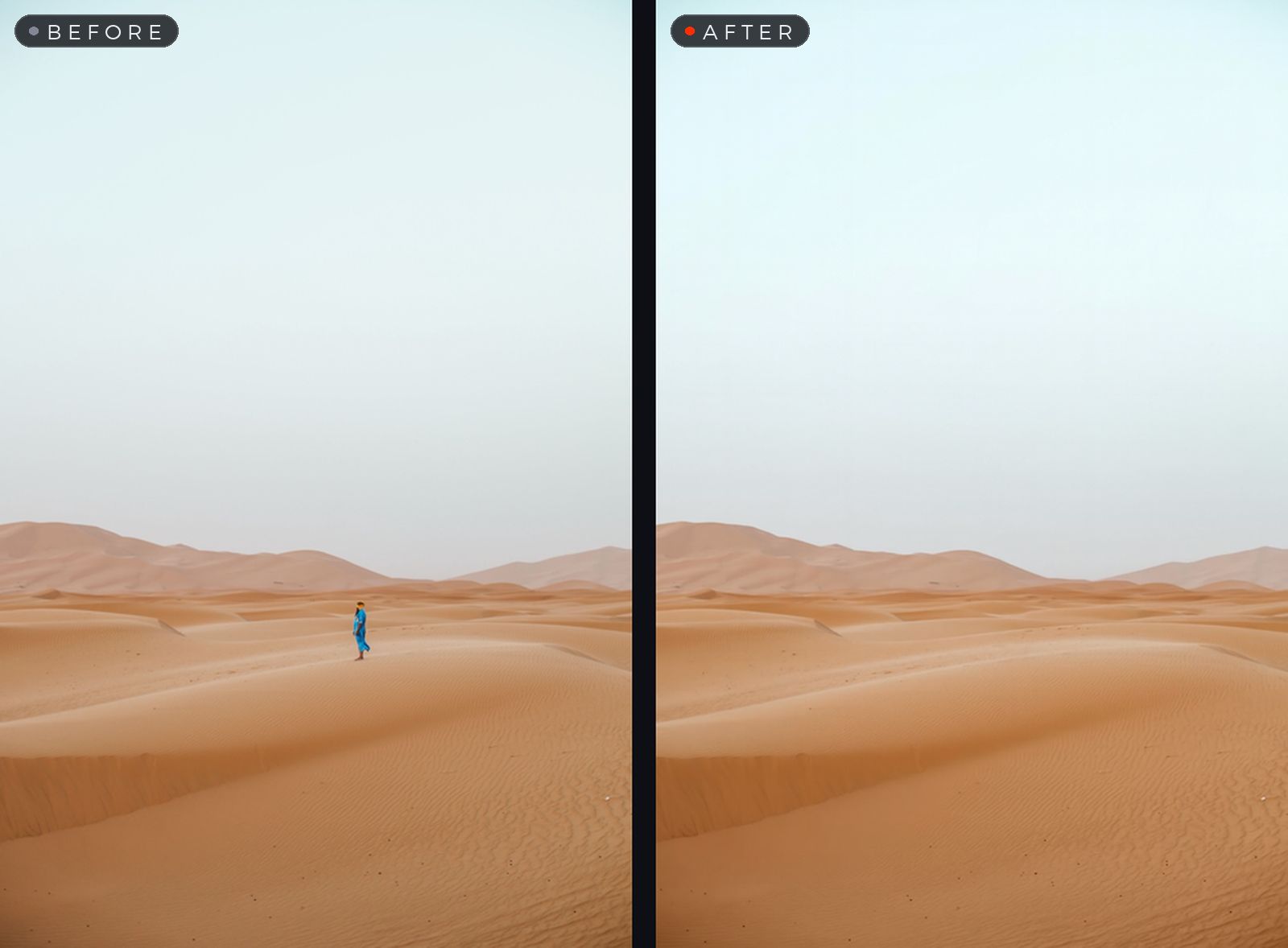
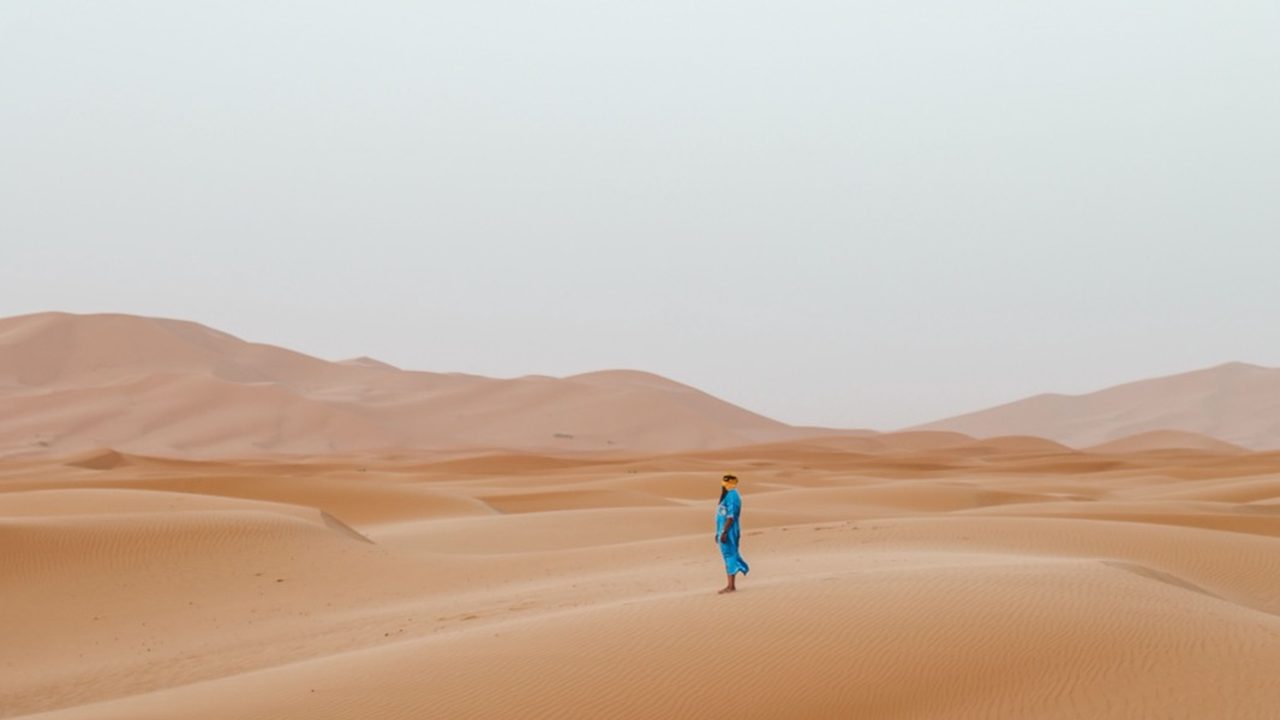
A person removed from a desert photo — before and after
The magic eraser

Remove anything.

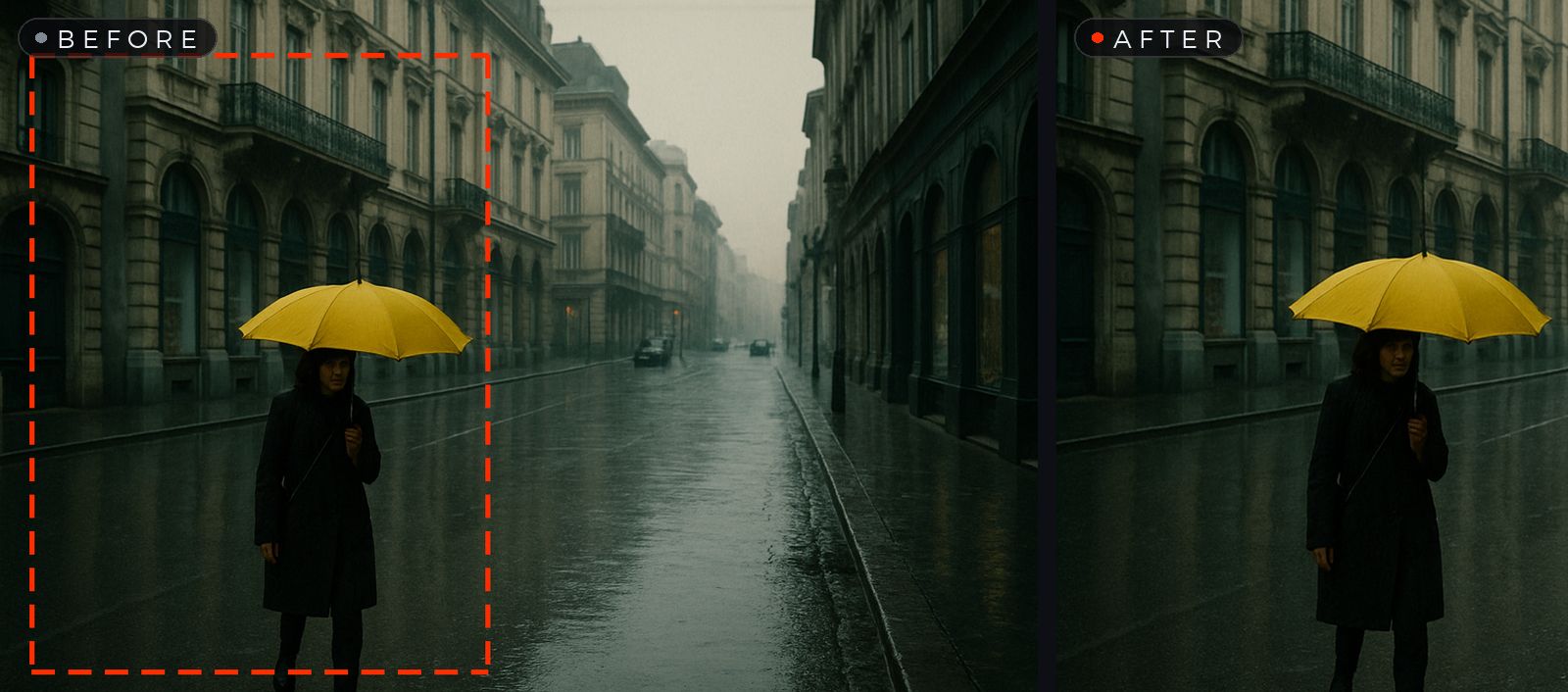
Click any person or object — CHITRA outlines it instantly, right on your Mac. Press Return and the background rebuilds itself, seamlessly and photorealistically.

  • Photobombers, power lines, clutter — gone in seconds
  • Pixel-accurate subject detection, computed on-device
  • Hold Space to compare with the original at any time
  • Full undo — experiment fearlessly
Magic enhance

Make it stunning.

Auto Enhance runs instantly and privately on your Mac. Want more? Correct Colors, Make It Stunning — or just type what you want: “give it a warm sunset mood, remove the haze.”

  • One-click auto enhance, always free
  • Professional color grading on demand
  • Describe any edit in your own words
A beach photo enhanced — before and after
Features

Nine tools. One drop.

Everything runs on your Mac the moment your image lands — private, instant, and fully undoable. First time with a tool? A friendly example shows you exactly what it does.

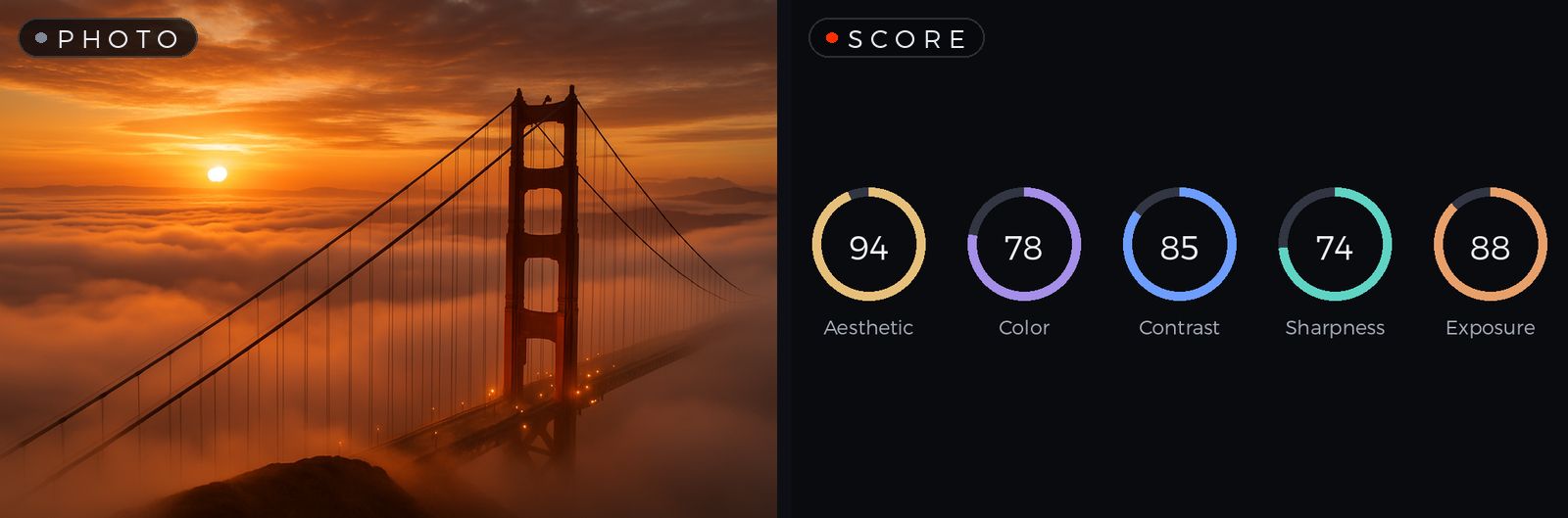
A photo and its five scoring rings
Score

Know your best shot.

Five animated rings rate aesthetics, color, contrast, sharpness and exposure — computed privately on your Mac, in a heartbeat.

  • Instant, on-device — nothing leaves your Mac
  • Compare variants and keep the winner
  • One click on the toolbar, scores update as you edit
Saliency

See where the eye goes.

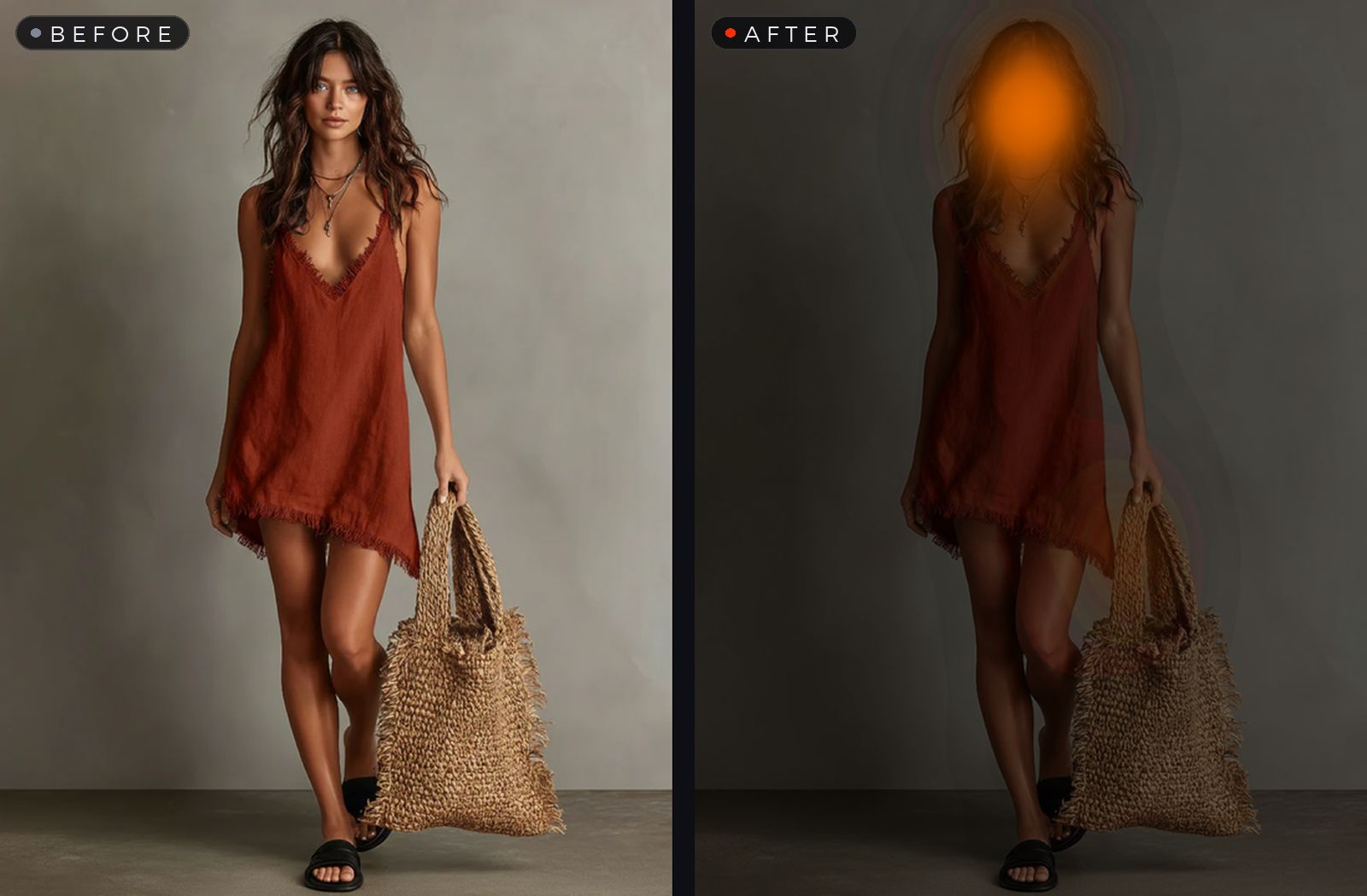
An attention heat map reveals your photo's focal points — where viewers look first, before they even know it.

  • Attention and objectness maps, one click apart
  • Crop and compose with confidence
  • Computed on-device by Apple's Vision engine
A portrait and its attention heat map
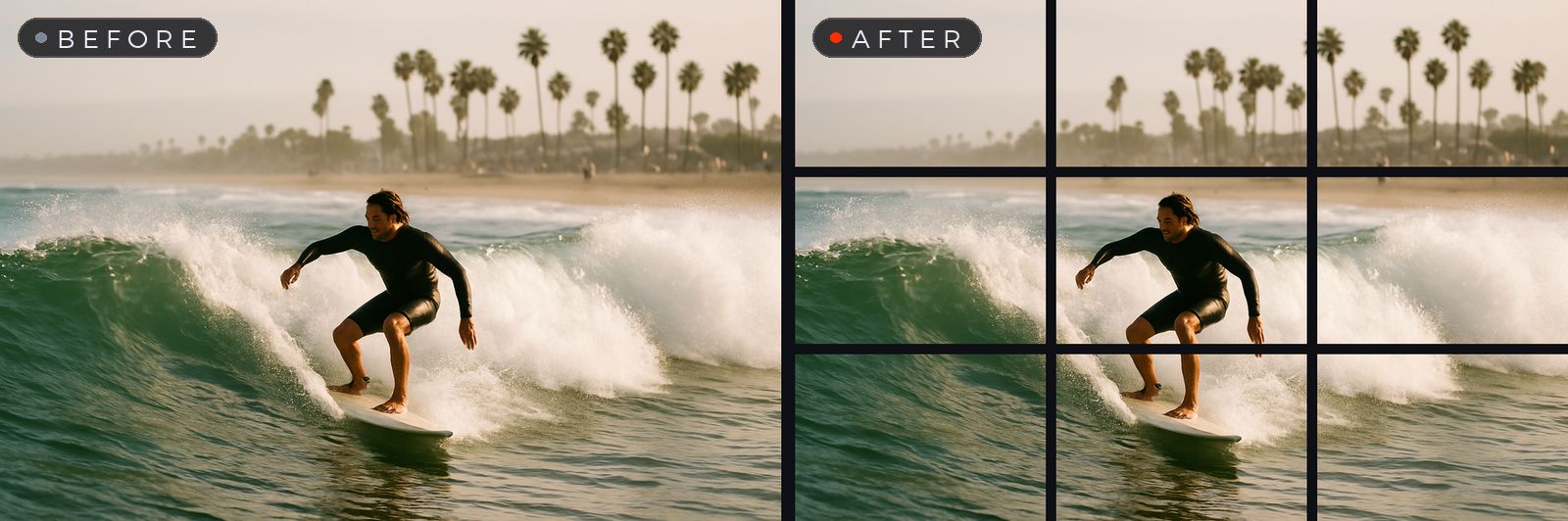
A surf photo split into a 3 by 3 grid
Split

One photo. Perfect tiles.

Cut an image into 3×1, 3×2, 3×3 — or any custom grid — for carousels, wall grids and mosaics.

  • Preview the cuts right on your photo before saving
  • Tiles export numbered and in order
  • Pixel-perfect edges, no overlap, no gaps
Crop

Frame it exactly right.

Freeform, presets from 1:1 to 16:9 — or type any custom ratio like 12:5. Drag stays locked to your aspect, corners snap where you want them.

  • Presets for every social format
  • Custom ratios — just type them
  • Fully undoable, down to the pixel
Crop marquee and the cropped result
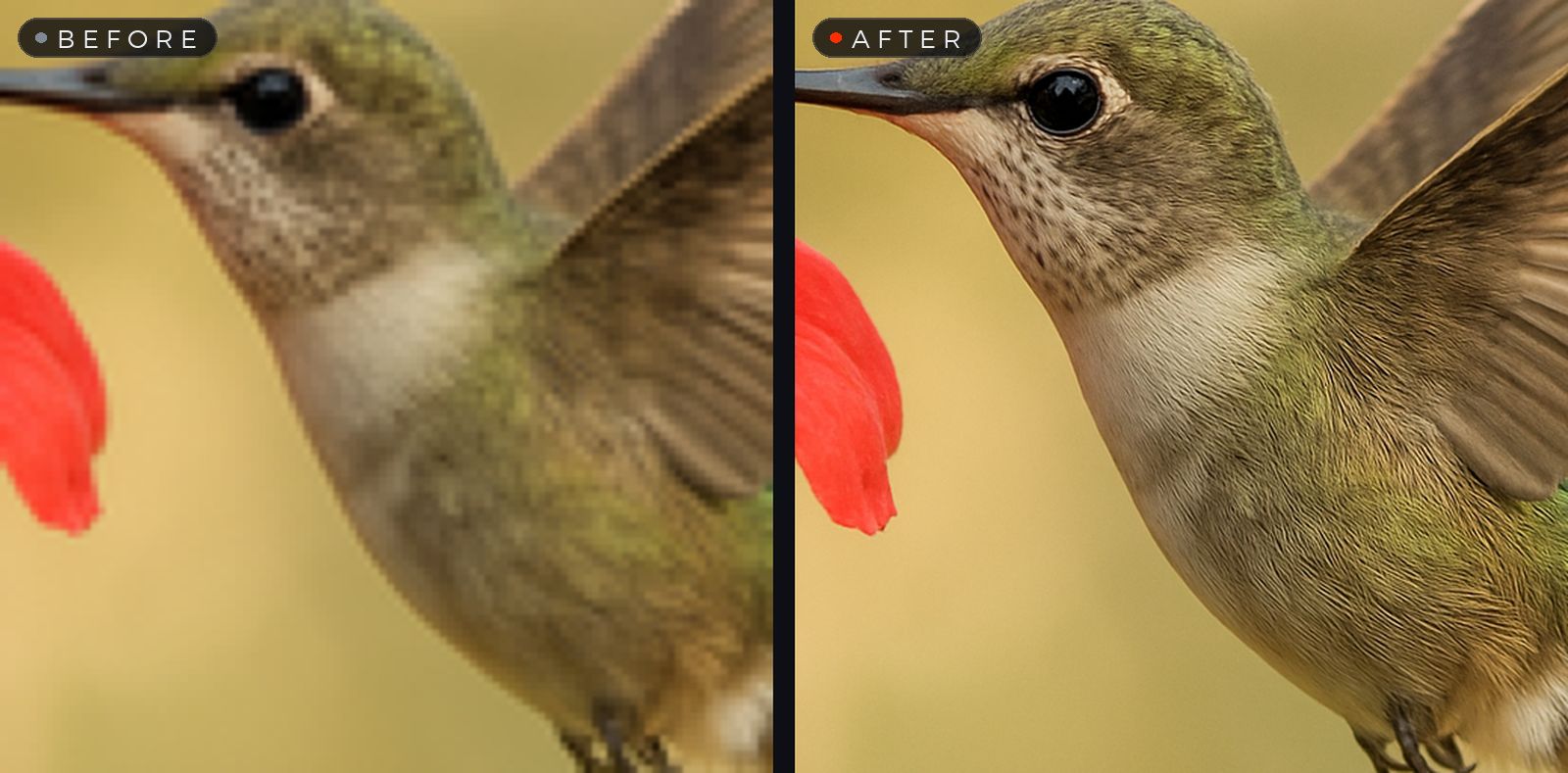
A blurry detail versus its sharp upscaled version
Upscale

Small photo. Big print.

Crisp 2× enlargement free — 4× with Pro. Edges stay sharp, detail stays detail, noise stays out.

  • 2× included, 4× with CHITRA Pro
  • Runs entirely on your Mac
  • Ready for print, posters and cropping headroom
Extend

Grow beyond the frame.

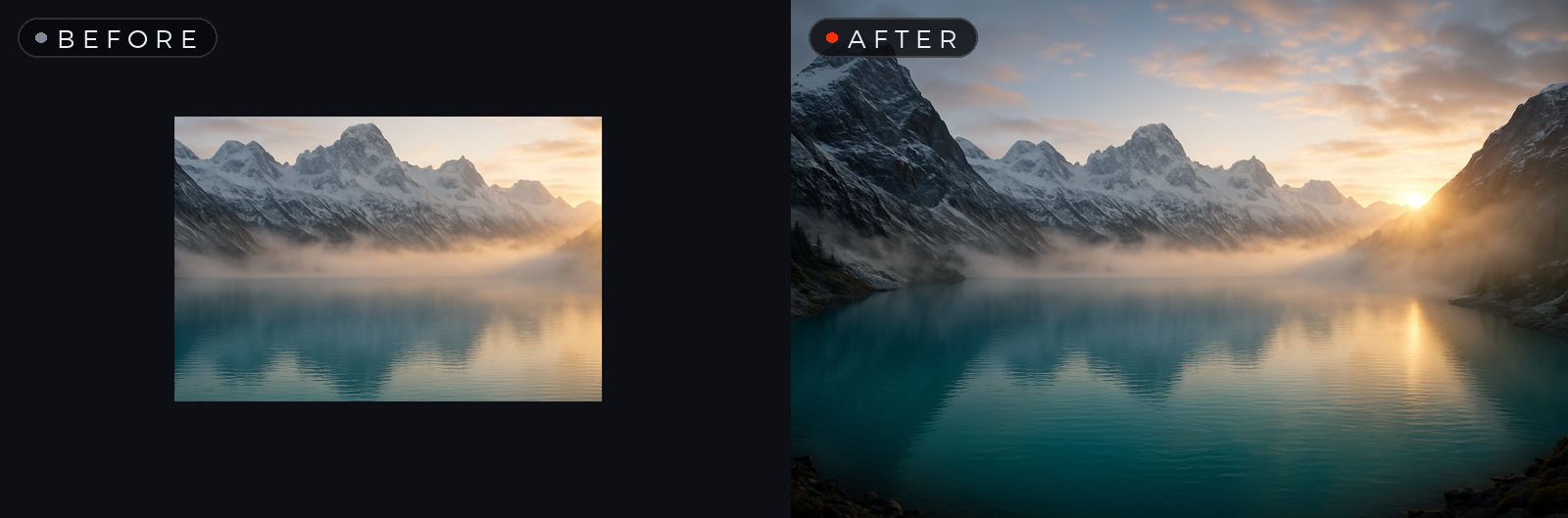
Extend the canvas horizontally, vertically or on all sides — by 10%, 25% or 50% — and turn a photo into a banner or a poster.

  • Horizontal, vertical, or all around
  • Perfect for headers, covers and wallpapers
  • Included with CHITRA Pro
A small frame extended into a wide canvas
Pricing

Start free.
Go Pro when you're ready.

Free — Silver
$0
Free forever · no account
  • Every on-device tool: enhance, crop, split, score, saliency, select & copy
  • 2× upscaling
  • 5 magic edits every month — Remove & magic enhance included
  • Export to PNG, JPEG, HEIC, TIFF
Download free
Credit packs
$4.99 / 25 edits
or 60 edits for $9.99 — about 17¢ each
  • One magic edit = one credit
  • Only charged when the edit succeeds
  • Credits never expire
  • No subscription needed
Top up anytime
Best value
Pro — Gold
$2.99 / month
Everything in Free, plus
  • 25 fresh magic edits every month
  • 4× upscaling
  • Extend — grow the canvas in any direction
  • Unused credits stay yours
  • Cancel anytime
Start Pro
Purchases are handled securely by Apple. Cancel or manage anytime in your Apple ID settings.
Download

Native on every screen

Native for Apple silicon. Fast and private — every core tool runs entirely on your Mac.

FAQ

Questions, answered

Is CHITRA really free?

Yes. Every on-device tool — Auto Enhance, Crop, Split, Score, Saliency, Select & Copy and 2× upscaling — is free forever, with no account and no watermarks. On top of that, everyone gets 5 free magic edits every month.

What are magic edits and credits?

Magic edits are the transformations that go beyond your Mac's built-in processing: Remove, Correct Colors, Make It Stunning and Custom Enhance. Each one uses a credit — and a credit is only spent when the edit succeeds. You get 5 free each month, packs start at $4.99 for 25, and CHITRA Pro includes 25 fresh credits monthly.

Do my images get uploaded anywhere?

All core tools run entirely on your Mac and work offline. Only when you use a magic edit is your image transmitted securely through our relay for processing, then returned — never stored, never used for training. The details are in our privacy policy.

What formats are supported?

Open virtually any image format, including JPEG, PNG, HEIC, TIFF and WebP. Export to PNG, JPEG, HEIC or TIFF — or AirDrop, share, and copy straight to the clipboard.

How do I cancel Pro?

Anytime, in your Apple ID subscription settings. You keep the credits you've already received, and your app and images are never locked.

Why "CHITRA"?

Chitra (चित्र) is the Sanskrit word for a picture or painting — the oldest word for the newest way to perfect your images.
Your images, perfected.

Download CHITRA free and see what one drop can do.